Cronus Zen Scripts: How GPC Files Customize Controllers
Cronus Zen Scripts Explained: How GPC Files Customize Controller Gameplay
Ever wanted to fine-tune your controller settings for a more comfortable gaming experience? There are controller scripts that can be used to alter some of the inputs and create custom settings. However, novices need to know the working principle of these tools before installation. Cronus Zen Scripts modify the behavior of controller inputs with programmable instructions. They are dependent on the device and software version and have different features, setups, and compatibility.
How Controller Scripts Work For New Users
The instructions in a controller script modify the behavior of a controller when processing particular inputs. They can set up some of the actions automatically or modify the timing of the inputs in the supported configurations. These instructions might be helpful for those who prefer greater control over their gaming experience. However, scripts do not necessarily lead to an improvement in every player's performance. These are based on the game, controller, settings, and the script design. There are also some games that will limit the use of automation or modified inputs; users should consult applicable rules. Beginners should first find out what each script does in order to make any changes to the settings. This way, there is less confusion and users won't make unsuitable configurations.
Learn How GPC Files Are Used In Gaming Setup
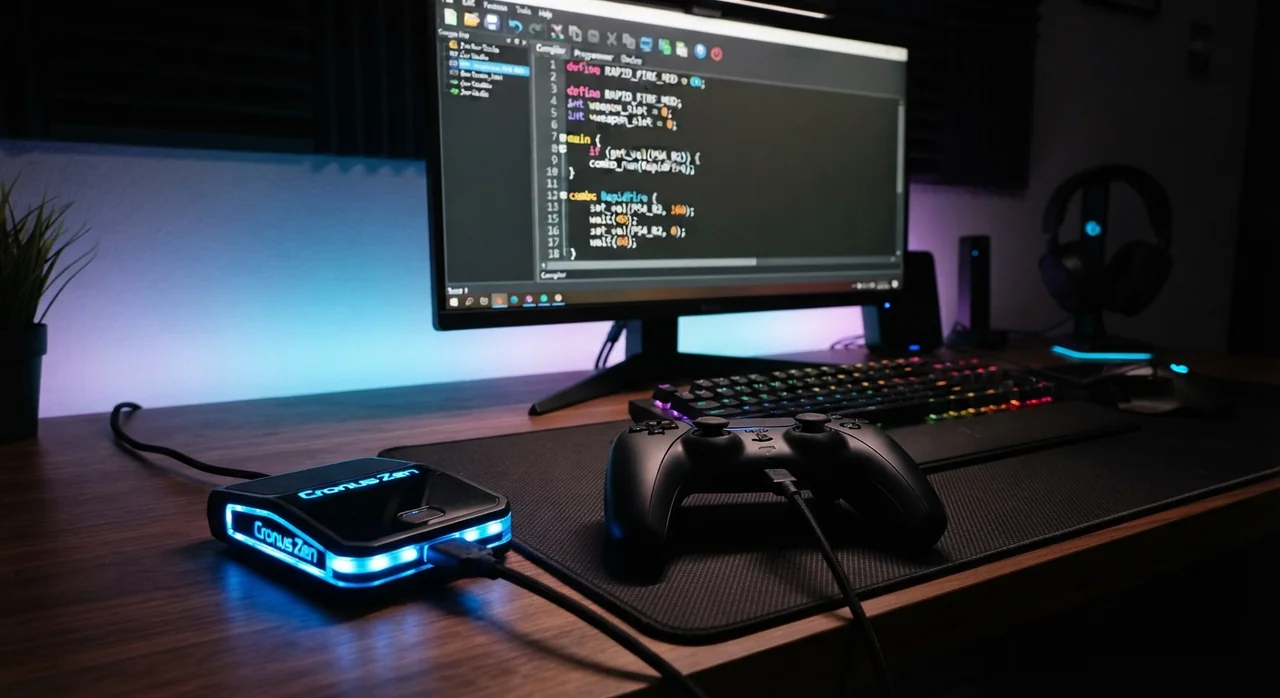
GPC files include code in a script language for compatible Cronus devices. The code tells the device how to respond to particular controller inputs. A script could modify the way buttons are used or control input sequences. There are different kinds of scripts, depending on their design and use. Some can be set to varying levels, and some have fixed input sequences. Users can also change button assignments and select button control if desired. When set up properly, these features can lend a more personal touch to a setup. However, more advanced features might need additional training and testing. There are various configurations that GPC Files for Controller Customization can support, but it is advisable for users to understand the code prior to making any changes.
How To Load And Configure Script Files
Open the appropriate script file with the supported tool. Use a compilation or a validation option, if it is available in the software, to find out if there are any errors before transferring anything. Use the documented procedures to upload the file to your device. Next, check over the settings and adjust only those that you are familiar with. Cronus Zen Scripts may offer customization options, but with varying setups and uses, results will vary. Follow the rules of the game and never use any configuration that is not fair play. By doing some research and patient testing, you can make better choices regarding your controller.
Look For Free Scripts And Carefully Assess Their Quality
Many of the beginners look for Free Zen Scripts as they want to check out on the market configurations without any additional expenses. While free files can be helpful learning tools, there are many that are not equal. Some contain clear instructions, and others may be out-of-date or not documented properly. Don't assume that a script is safe just because it is being shared for free. Cautious paperwork plus clear directions are much better than flashy claims.
Make The Most Of Your Controller Setup By Using The Right Scripts
The first step in selecting a suitable script is to understand the equipment you have and the requirements you have. Don't choose files just for the promises of better results. It is advisable to test Cronus Zen Scripts for reliability, readability, and applicability to your project. Seek explanations that explain settings but do not make claims that are not realistic. Making responsible selections allows you to avoid unnecessary account and compatibility issues, and to keep your setup stable.
The Next Step Toward Better Controller Configuration
Understanding how scripts operate can help in the customization of controllers. Use simple settings; seek official instructions for anything you don't know.
FAQs
- Is a GPC script file a file that contains several GPC script elements? The GPC file provides instructions for compatible devices. There is some software that supports users in inspecting, compiling, or loading the file.
- Don't assume that Free Controller Scripts are always safe. Free files are not necessarily safe and secure. Before using, verify the source, documentation, compatibility, and download requirements.
- Is the script applicable to all controllers? No, it is compatible based on the Controller, Device, software, and Script design. You should always make sure that the hardware it supports is included before installation.
- Why Does My Script Fail To Load? The file can be incompatible, incorrect, or due to coding errors. Look at the error message and follow the troubleshooting tips provided by the device.
- May Scripts violate Game Rules? It is true that there are some games that don't allow for automation and controller input modifications. Please check the existing rules of the game before running any script.